![Logo White-1.png]](https://help.bloomware.com/hs-fs/hubfs/Logo%20White-1.png?height=50&name=Logo%20White-1.png)
Administrators can bulk assign a review type to all team members or to selected team members at once to complete their annual review setup in a single step.
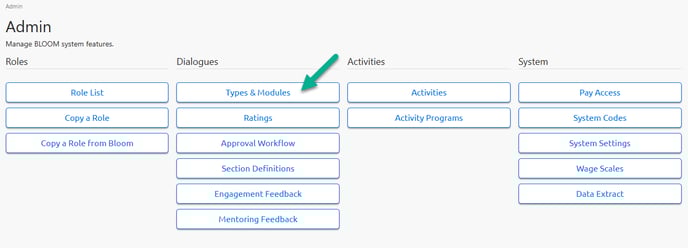
STEP 1: From the Admin panel select TYPES & MODULES from the Dialogue menu.
STEP 2: Click BULK ASSIGN next to the review type that you want to bulk assign to team members. Double-check that the correct modules are turned on for the review type that you select. To double-check, click on the title of the review type and skip to Step 3. 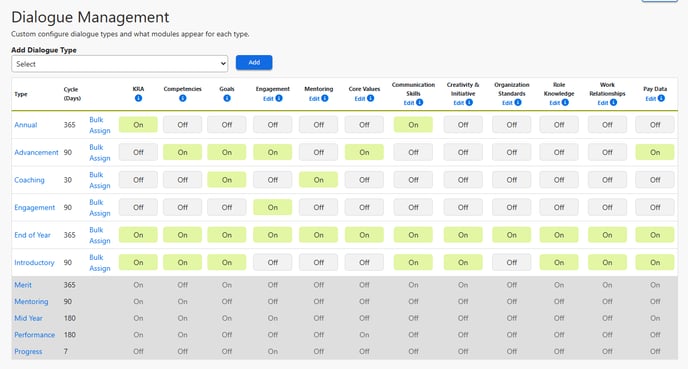
STEP 3: Check to make sure the correct modules are turned on for the review type that you want to assign. Use the ON and OFF buttons to enable or disable the modules for the review type. These will automatically adjust the review for all currently opened and newly assigned dialogues of this type. Click UPDATE to save your changes.

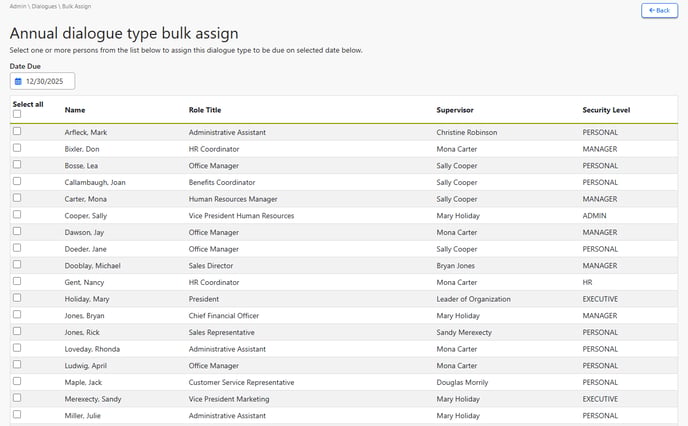
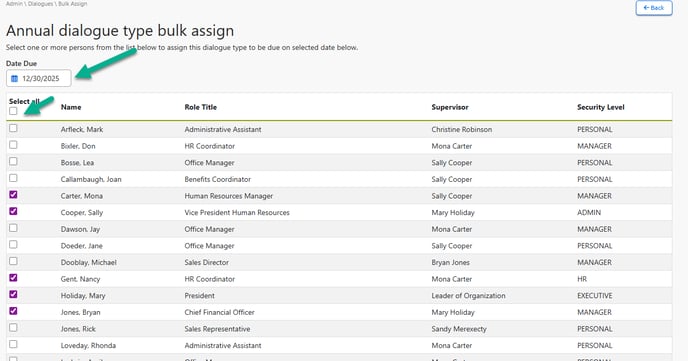
STEP 4: From the screen in Step 1 above, click BULK ASSIGN to select the team members whom you want to assign the dialogue to. Select all, or check the boxes for only those you wish to assign the dialogue type to. Also, select Date Due at the top, which will set a deadline for all team members to complete the dialogue.
Click SUBMIT at the bottom of the screen to save your selections.
STEP 5: Confirm your selections on the confirmation screen to complete the assignments. Click CONTINUE to confirm your selections.
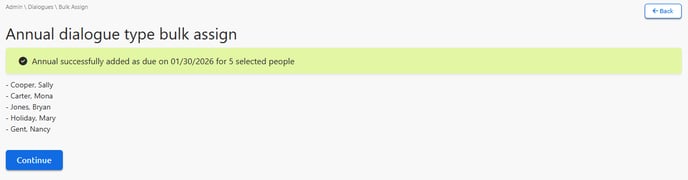
That's it! Your assignments are complete!